Scan
Confirm scans with volume keys
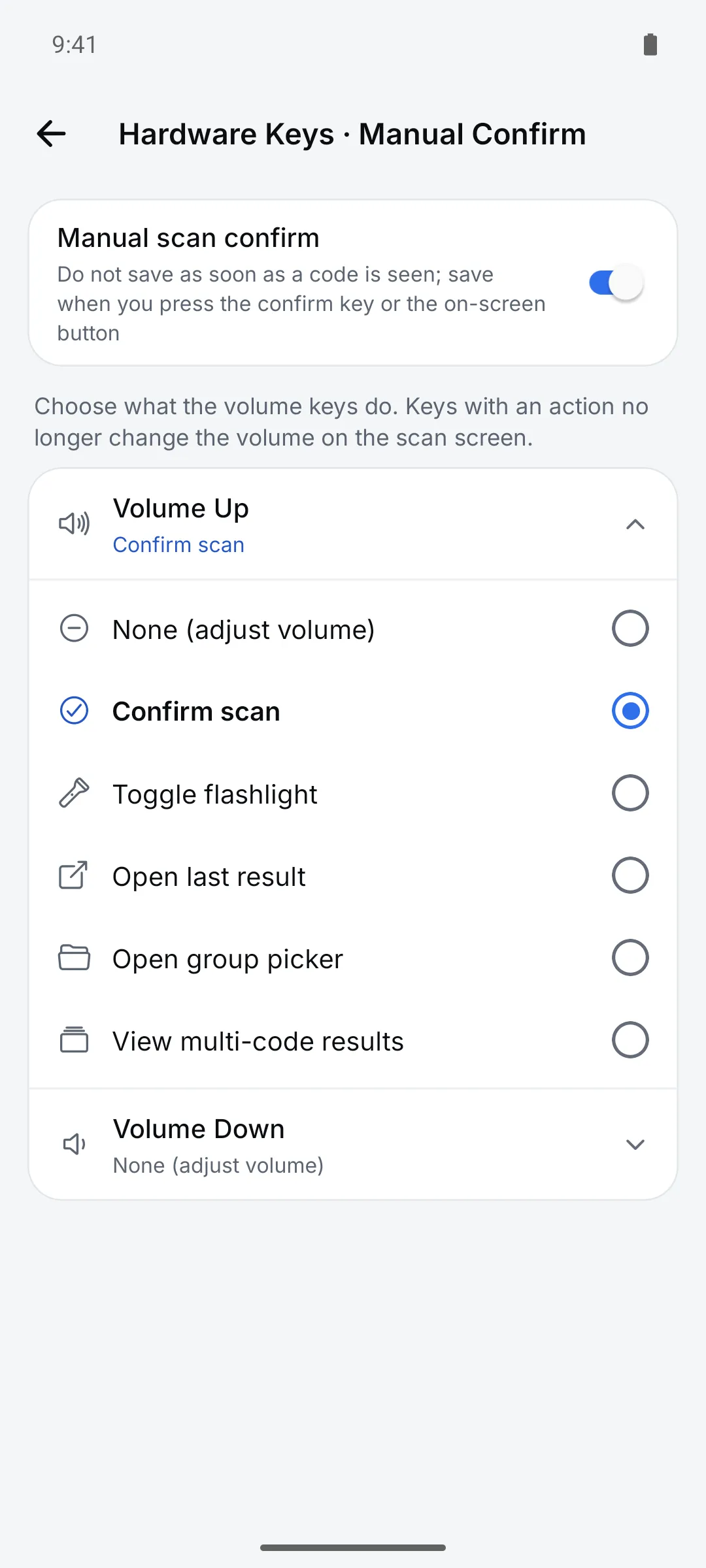
Tapping the screen is hard with gloves on or a box in one hand. Assign the actions you use most to the volume keys.
How to use it
Open Settings > Scanning > “Volume keys · Confirm scan”
Pick an action for Volume Up and Volume Down.
Assign actions
Options include Confirm scan, Flashlight on/off, Show last result and Open group picker.
Turn on “Manual Scan Confirm” if you want
Codes in view aren’t saved until you press the key or the on-screen Confirm button.
Settings
| Setting | Options · default |
|---|---|
| Volume Up / Volume Down | None — adjust volume (default) / Confirm scan / Flashlight on/off / Show last result / Open group picker / View multi-code results |
| Manual Scan Confirm | On / Off (default, confirm automatically) |
Good to know
- iPhone doesn’t let apps use the volume keys, so confirm with the on-screen button.
- Bluetooth and USB external scanners aren’t supported yet.