Web
Web session screen
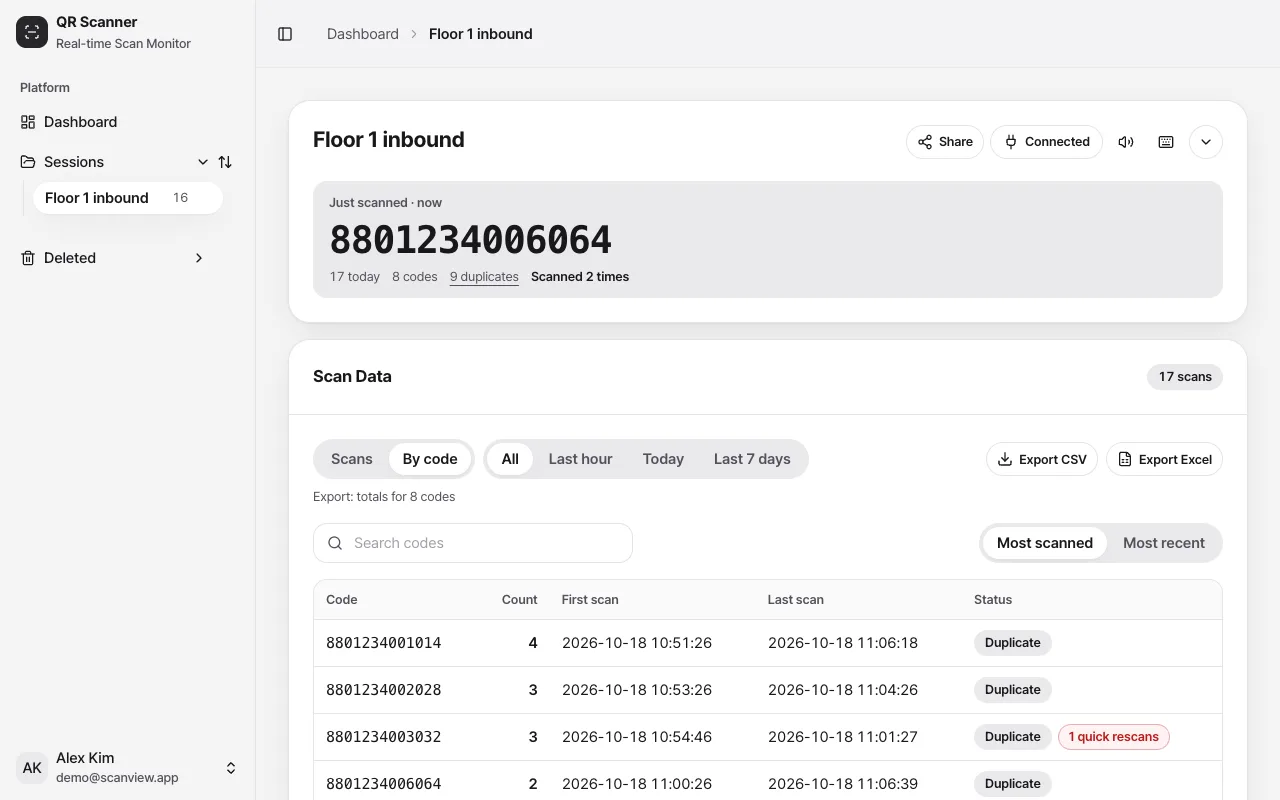
The scanview.app session screen is built for a big monitor. The latest code shows large, and you can see at a glance how many times each code was scanned.
How to use it
Check the latest scan at a glance
The latest code, today’s count, number of distinct codes and duplicates are shown large enough to read from a distance.
Switch to “By code”
See how many times each code was scanned and spot quick rescans within 2 seconds. Filter by last hour, today or last 7 days.
Export what you see
Download CSV or Excel with the current view, search and period applied.
Settings
| Setting | Options · default |
|---|---|
| Sharing | Anyone with the link / People with the password / Only me |
| Keyboard shortcuts | / search, v switch view, e export CSV, ? help |
Good to know
- Only the session owner can change sharing and delete scans. Everyone else can only view.
- When the tab is in the background, new scans are counted in the tab title.